

Accept payments on Shopify with DPO Pay
The DPO Pay Shopify app allows merchants to securely accept local and international payments directly from their Shopify store using the DPO Pay platform.
This plugin connects your Shopify checkout to DPO Pay, enabling a smooth and secure payment experience for your customers without custom development.
Overview
With the DPO Pay Shopify integration you can:
-
Accept credit and debit card payments
-
Support multiple payment methods across Africa
-
Process local and cross-border transactions
-
Provide a secure hosted checkout experience
-
Manage payments through your existing DPO Pay merchant account
The plugin is free to install. Standard DPO Pay transaction fees apply.
What You’ll Need
Before installing the plugin, make sure you have:
-
An active DPO Pay merchant account (sandbox or live)
-
Your DPO Pay API credentials
-
Access to your Shopify store admin panel
-
Basic store configuration completed in Shopify
If you don’t yet have a DPO Pay account, please contact the DPO Pay onboarding team to get started.
Installation Guide
Step 1 – Install the App
-
Log in to your Shopify admin panel
-
Visit the Shopify App Store
-
Search for “DPO Pay”
-
Click Install App
Once installed, the DPO Pay configuration screen will appear inside your Shopify dashboard.
Step 2 – Configure Your Credentials
After installation:
-
Open the DPO Pay app from your Shopify admin
-
Enter your merchant details and API credentials
-
Select your environment (Sandbox or Live)
-
Save the configuration
Your store is now connected to the DPO Pay platform.
Step 3 – Enable the Payment Method
-
Navigate to Settings → Payments in Shopify
-
Locate DPO Pay under available payment providers
-
Activate the gateway
-
Save your changes
DPO Pay will now appear as a payment option during checkout.
Customer Experience
Once enabled, your customers will follow this flow:
1. Create Order
Customers add items to their cart and proceed to checkout.
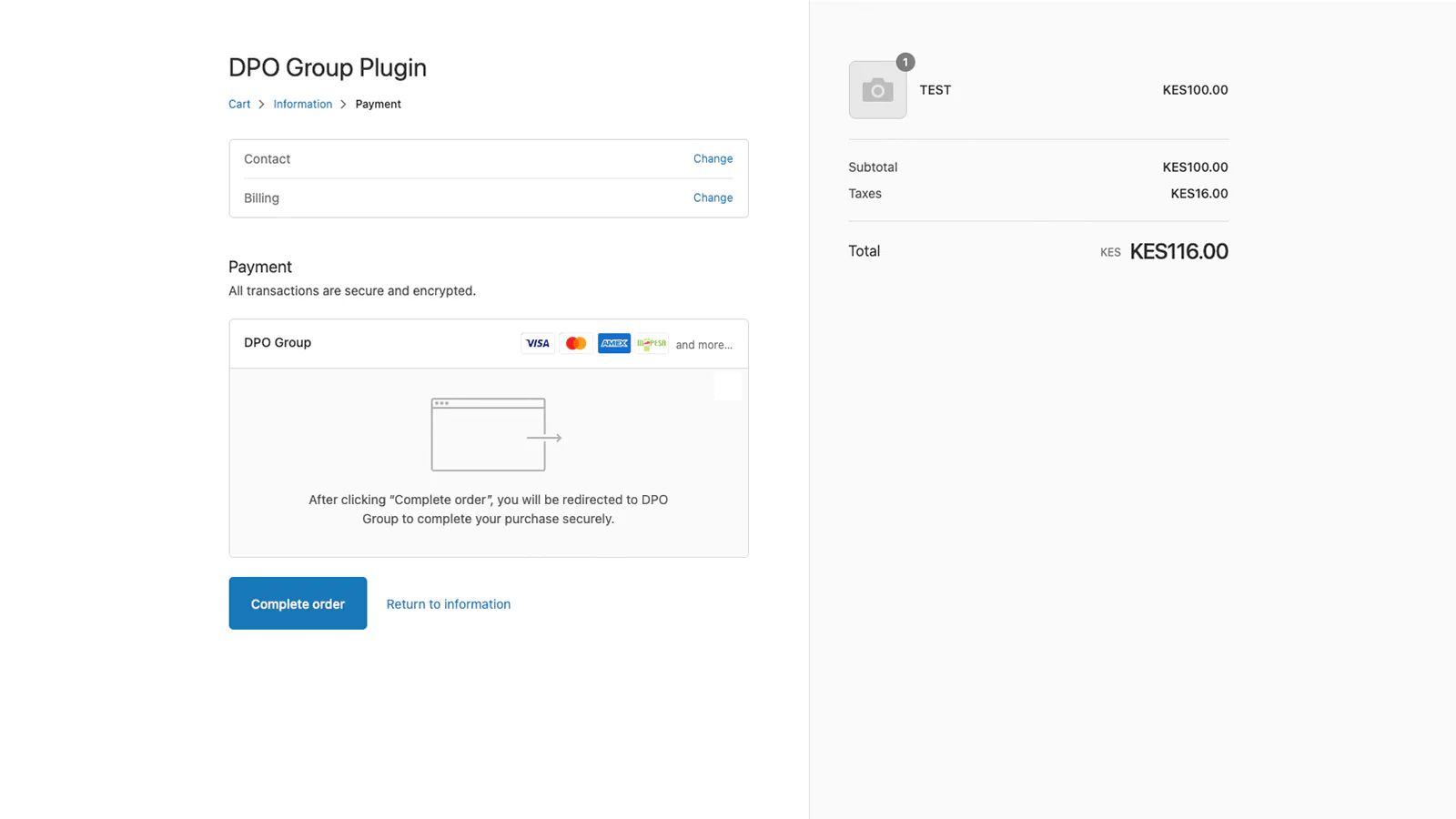
2. Select Payment Method
At checkout, the customer selects DPO Pay as the payment option.
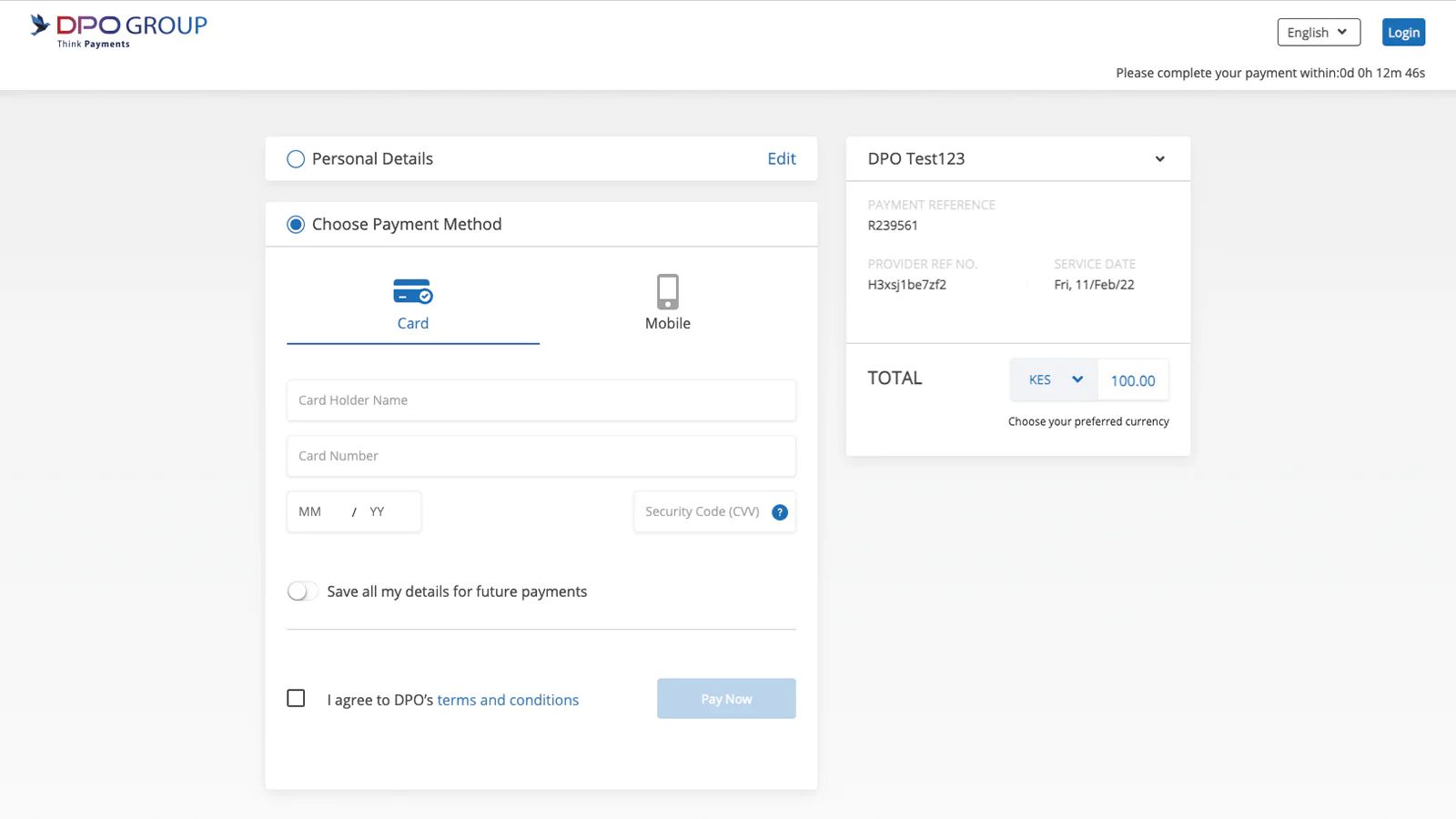
3. Complete Payment
The customer is redirected to the secure DPO Pay payment page to complete the transaction.
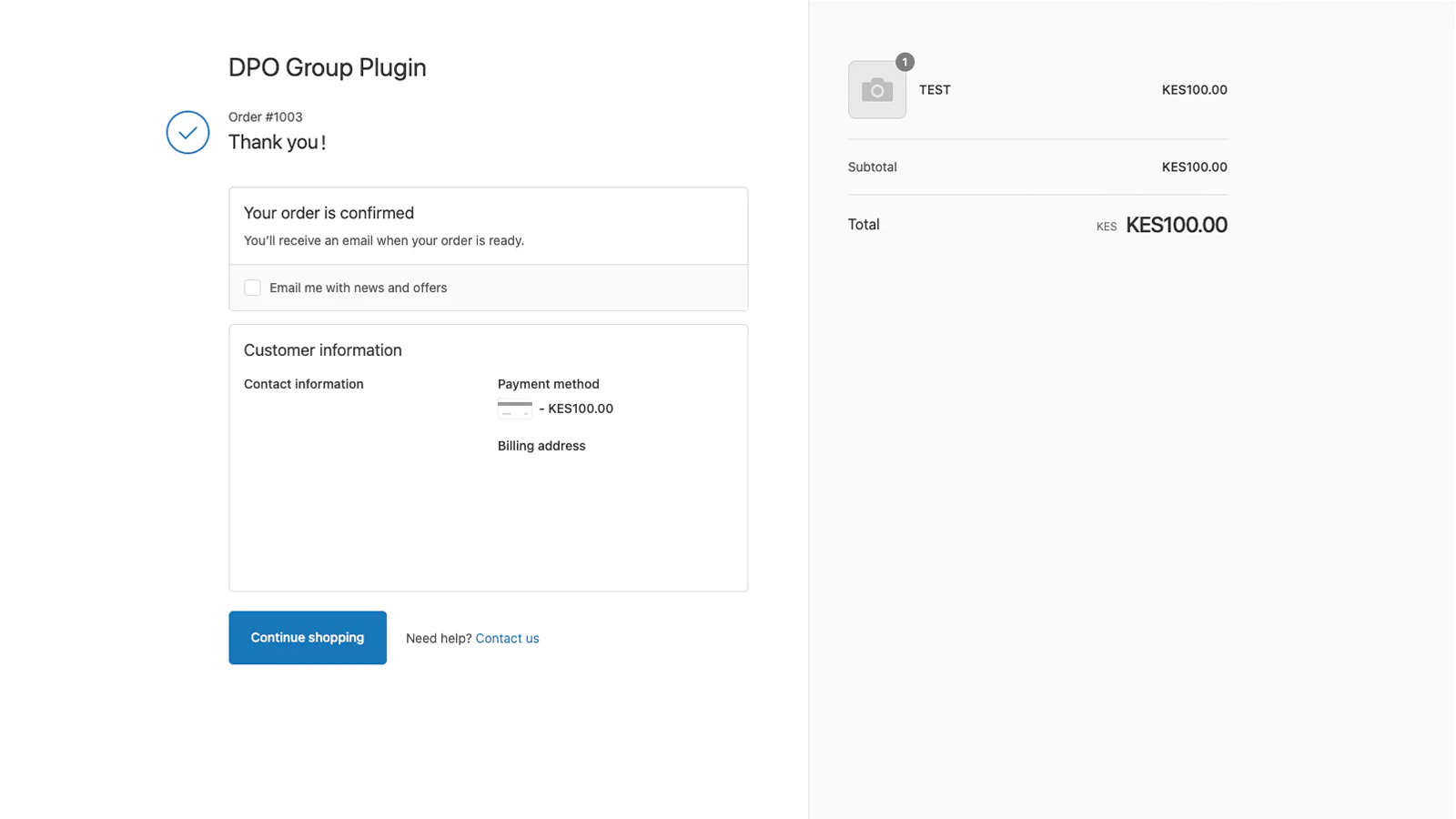
4. Order Confirmation
After successful payment, the customer is returned to Shopify with a confirmed order status.
Supported Features
-
Secure hosted payment page
-
Multiple payment methods
-
Transaction status updates
-
Order confirmation handling
-
Support for refunds via Shopify admin
-
Compatible with Shopify standard checkout
Troubleshooting
Common Issues
Payments not appearing in Shopify
-
Confirm your API credentials are correct
-
Ensure the correct environment (Sandbox/Live) is selected
-
Verify that DPO Pay is enabled in Shopify payment settings
Customers cannot see DPO Pay at checkout
-
Check that the gateway is activated
-
Confirm currency and region settings
-
Make sure test mode is disabled for live transactions
Frequently Asked Questions
Is the plugin free?
Yes. The Shopify app is free to install. Standard DPO Pay processing fees apply.
Which countries are supported?
DPO Pay supports multiple African markets and international card payments.
Can I test before going live?
Yes – use your DPO Pay sandbox credentials to perform test transactions.
Support
If you need help configuring or using the plugin, please contact:
-
DPO Pay Support: [email protected]
-
Developer Documentation: DPO Pay API Docs